July 27, 2026
What Is a Brand Kit? What It Includes and How to Make One
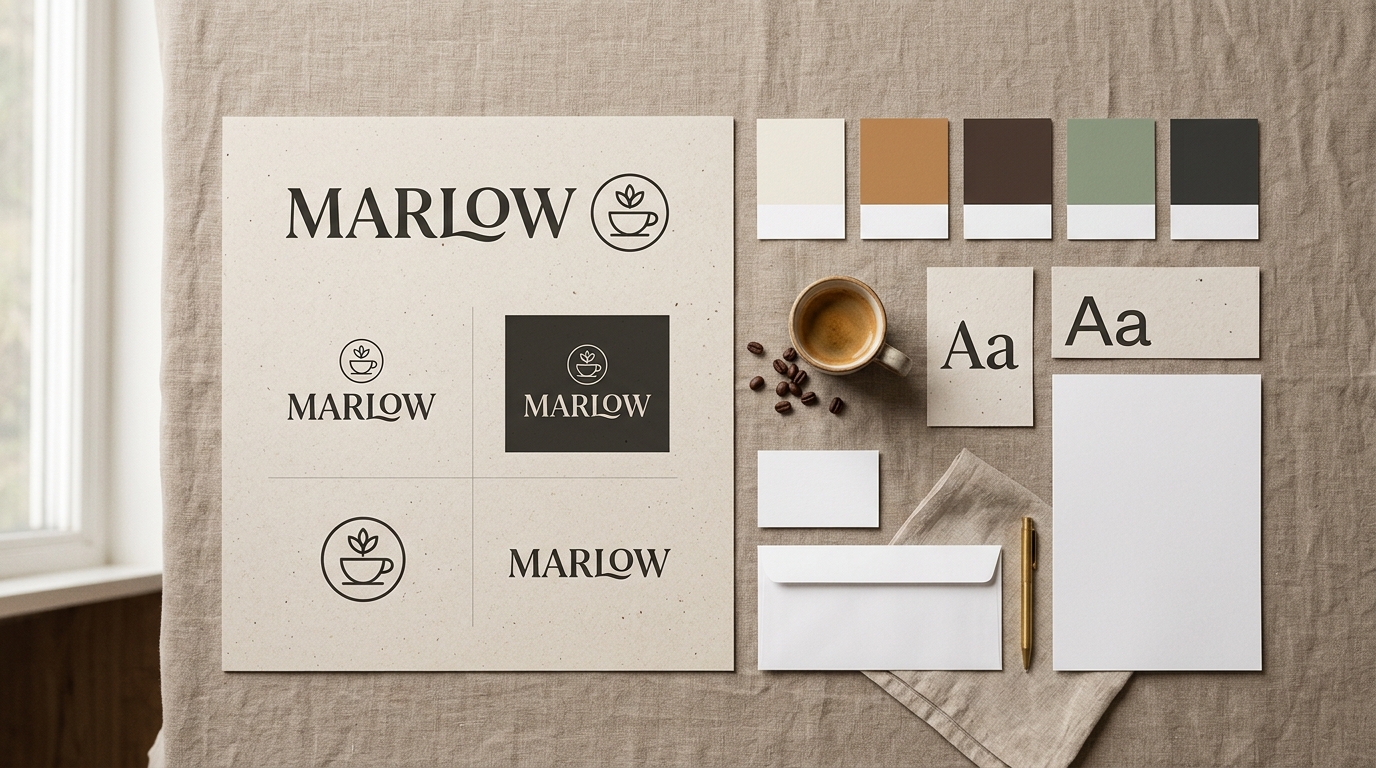
Your website header uses one shade of blue, your Instagram posts use a slightly different one, and the proposal you sent last week is set in a font you don't remember choosing. None of that is a disaster on its own. Together, it quietly tells customers you're improvising. A brand kit is the fix, and building one takes far less effort than most founders expect.
Quick answer: A brand kit is a package of your brand's essential visual assets and the rules for using them: logo files in every format you need, exact color codes, chosen fonts, and supporting graphics. It exists so everything your business publishes looks like it came from the same company.
What is a brand kit?
A brand kit is a collection of your core brand assets (logo files, color codes, fonts, imagery) stored in one place so anyone can produce on-brand material without guessing.
Think of it as the answer sheet for every design decision your business makes. Which logo version goes on a dark background? What exact hex code is "our green"? Which font do headlines use? Without a kit, you answer those questions from memory every single time, and the answers drift. With one, the decision was made once and everything after that is copy and paste.
The format matters less than the habit. A brand kit can live as a shared folder, a one-page PDF, a Notion page, or a feature inside your design software. What counts is that it holds the actual files and values, not vague descriptions of them.
Brand kit vs. brand style guide
The two overlap, and some tools use the names interchangeably, but there's a useful distinction. Brand guidelines (or a style guide) are the rulebook: strategy, personality, tone of voice, and detailed usage rules, sometimes running to dozens of pages. A brand kit is the toolbox: the working files and values you reach for when making something. For a small business, one tidy document can happily be both.
What does a brand kit include?
Every practical brand kit covers five things: logo files in multiple variations, a defined color palette, typography choices, imagery guidelines, and a few lines of core messaging.
Here's the full checklist before we unpack each piece:
- Logo suite: primary logo, icon-only mark, horizontal and stacked lockups, plus transparent, white, and black versions
- Color palette: one or two primary colors and two to four supporting ones, with exact hex and RGB codes (CMYK if you print)
- Typography: a heading font and a body font, with weights and a fallback
- Imagery and graphics: photo style notes, icons, patterns, or templates
- Voice basics: your tagline and a one-sentence description of what you do
Logo files and variations
One logo is never one file. You need a version for light backgrounds and one for dark, a transparent PNG for layering over photos, and an icon-only mark small enough to survive as a favicon or a social profile picture. Wide spaces like website headers want a horizontal lockup; square spaces like app icons want a stacked one.
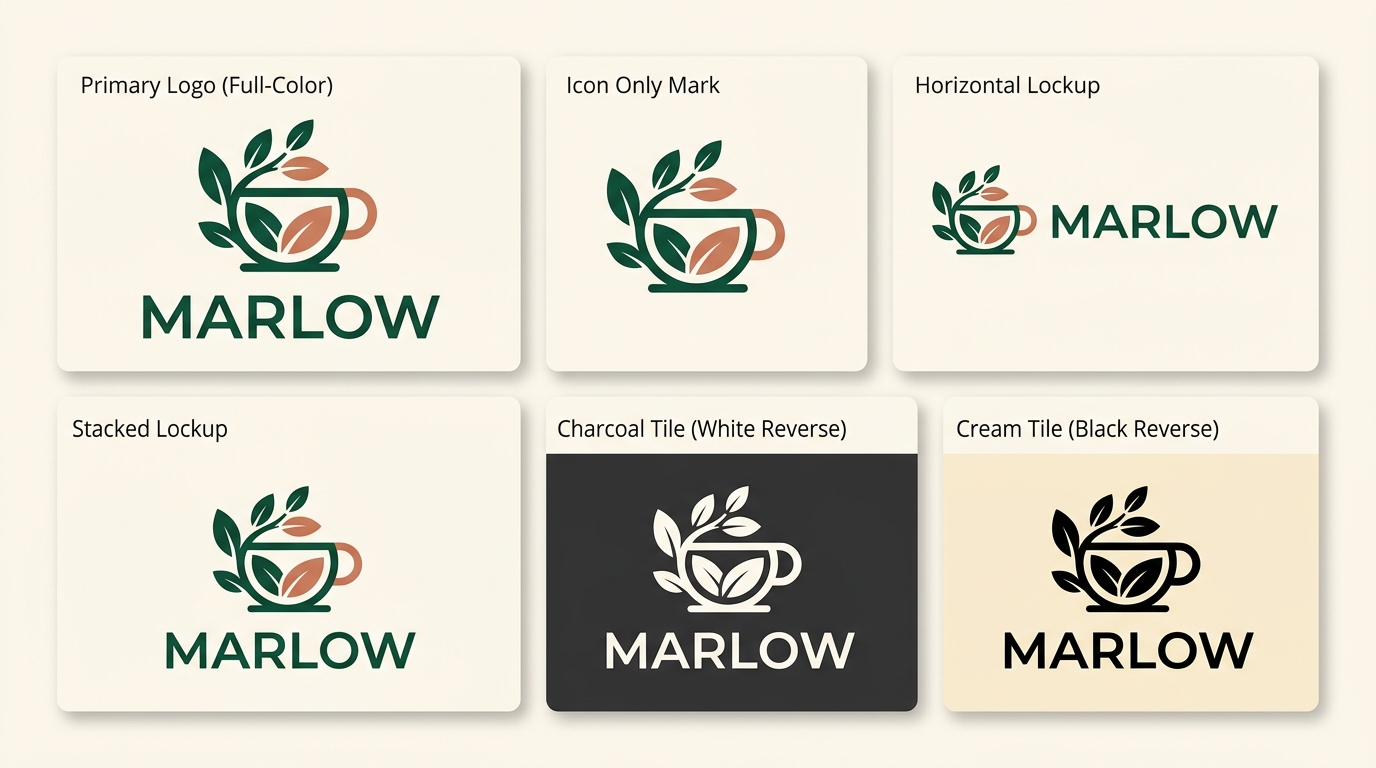
Keep vector files (SVG or EPS) as your originals, because they scale to any size without blurring, and export PNGs from them for everyday use. Our guide to logo file formats breaks down exactly which format belongs where.
Color palette
Record exact codes, not descriptions. "Teal-ish" produces forty different teals across your website, your packaging, and your social posts. Lock in hex codes for the web, RGB for screens, and CMYK values if you print anything.
Keep the palette small: one or two primary colors, a few supporting ones, and a neutral for text and backgrounds. If you're pulling colors from a logo you already have, a color palette tool does it in seconds. And before you commit to a text-and-background pairing, run it through a contrast checker so your buttons and captions stay readable for everyone, including people with low vision.
Typography
Two fonts are enough for almost any small business: one for headings, one for body text. Note the exact names and the weights you use, and pick a widely available fallback (something like Arial or Georgia) for places you can't load custom fonts, like plain-text email.
Imagery, icons, and supporting graphics
Large companies write pages of photography direction. You need a sentence or two: "bright product photos, natural light, no staged stock handshakes" gives anyone who creates content for you a filter to work with. If you use icons or a recurring graphic pattern, store those files in the kit too, in the same colors as your palette.
Voice basics
Strictly speaking, messaging belongs in brand guidelines, but a tagline and a one-sentence company description are worth keeping in the kit. You'll reuse them constantly: social bios, directory listings, invoice footers, email signatures, and so on. Writing them once beats improvising a slightly different version each time.
Why does your business need a brand kit?
A brand kit saves time, keeps every customer touchpoint consistent, and makes handoffs to printers, freelancers, and platforms painless. Customers learn to recognize you through repetition, and repetition only works if you keep things consistent.
Small brands become recognizable the same way big ones do: by showing up looking the same, over and over. When your colors, type, and logo match across your website, your packaging, and your social feeds, each impression reinforces the last. When they drift, every touchpoint starts from zero.
There's also a pure speed argument. A kit means every design decision is made once. New Instagram post? Colors and fonts are already chosen. New pitch deck? Drop in the logo lockup that fits. And the moment you hand work to anyone else, a freelancer, a printer, a sign maker, the kit is the first thing they'll ask for. Sending one file beats answering twelve questions.
Brand kit examples
Brand kits scale with the business. A solo founder can run on a one-page kit, while a growing company adds templates, mockups, and channel-specific assets as its output grows.
A starter kit for a solo founder or side project:
- Logo in three versions (full color, white, icon-only mark)
- Three or four colors with hex codes
- Two fonts
- A one-line description of the business
That fits on a single page, and it's genuinely enough to keep a young brand consistent.
A small business kit adds print-ready files (CMYK colors, vector logos for signage and packaging), social media templates sized per platform, and product mockups showing the logo on storefronts, bags, or labels.
A content creator kit leans digital: profile-picture versions of the mark, thumbnail fonts and colors, story and banner templates, and an end-card or watermark.
For inspiration at the other end of the scale, search any large company's name plus "brand guidelines." Many publish their kits publicly, complete with downloadable logo packs and usage rules, and skimming one shows how all the pieces fit together.
How to create a brand kit in 5 steps
Creating a brand kit means locking down a logo, colors, and fonts, exporting the right file versions, and saving everything where you and your collaborators can reach it.
1. Start with the logo. Everything else in the kit derives from it: the palette usually comes out of the logo's colors, and the typography has to sit comfortably next to it. If you're still deciding on a direction, our overview of logo types walks through the seven main styles and when each works.
2. Lock your colors. Pull the exact values from your logo and write down hex and RGB codes for each. Add a neutral or two for text and backgrounds, and check your main text-background pairing for contrast.
3. Pick two fonts. One for headings, one for body text. Resist adding a third. Two is plenty, and variety works against recognition at this stage.
4. Export every version you'll actually need. SVG originals, transparent PNGs, white and black versions, an icon-only mark, and horizontal and stacked lockups. Do this once, up front, and the kit earns its keep the first time a printer emails asking for "the logo on transparent."
5. Assemble and share. Put everything in one folder or document with clear file names ("logo-white-stacked.svg" beats "final-v3.svg"), and share it read-only with anyone who creates things for your brand.
Budget half a day if your logo already exists. The logo itself is the only genuinely hard part, which is why it's also the part people most often outsource.
The fast way: generate a brand kit with AI
AI brand kit generators compress the whole process into minutes: describe your business, pick a logo you like, and export the files, colors, and matching assets as one bundle.
Full disclosure: we build one of these tools, so weigh this section accordingly. Proicon generates logo options from a plain-English description of your business. There are no templates or shared symbol libraries anywhere in the pipeline; AI image models draw every option from scratch, so your mark isn't assembled from parts that millions of other users also have. Five dollars gets you 20 logo options, and every plan includes SVG vector files and full commercial rights.
The brand kit side is the practical payoff. Once you pick a logo, Proicon vectorizes it and builds the kit automatically: SVG originals plus transparent, white, and black versions, the icon-only mark, horizontal and stacked lockups, and pre-rendered 4K PNGs, all in one ZIP. From there you can generate matching assets on demand, Instagram posts and stories, Facebook covers, LinkedIn banners, X headers, and product mockups from storefront signage to t-shirts and packaging. Already have a logo you love? Import it and the kit gets built around it. If something is close but not right, revisions are conversational: tell it "make it more minimal" or "try warmer colors" and it adjusts.
Template-based tools take a different route, assembling logos and brand materials from large pre-made libraries, and some bundle deep template collections behind a subscription. If you want to see the whole field compared honestly, including where our own tool falls short, read our roundup of the best AI logo generators.
Ready to try the generated-from-scratch route? Create your logo and brand kit with Proicon.
FAQ
Is a brand kit the same as brand guidelines?
No. Brand guidelines are the full rulebook covering strategy, voice, and detailed usage. A brand kit is the practical package of files and values you design with daily.
How much does a brand kit cost?
Anywhere from free to thousands. Assembling one yourself costs only time, AI generators start around five dollars, and hiring a designer typically runs from several hundred to several thousand dollars.
What logo files should a brand kit include?
At minimum: an SVG vector original plus transparent, white, and black PNG versions, an icon-only mark for favicons and profile pictures, and horizontal and stacked lockups.
Can I make a brand kit for free?
Yes. A shared folder holding your logo files, hex codes, and two font names is a working brand kit. Free tools cover palette extraction and contrast checking.
Start yours this week
You don't need a big company or a design team for this. A brand kit is a one-afternoon project that pays off every time you publish anything. Start with the logo, lock your colors and fonts, export the file versions you'll actually use, and put it all in one shared folder. If you're starting from zero, generate your logo and full brand kit with Proicon and have the folder filled by tonight.